Spotify Jam: How Real Time Music Collaboration Might Work?
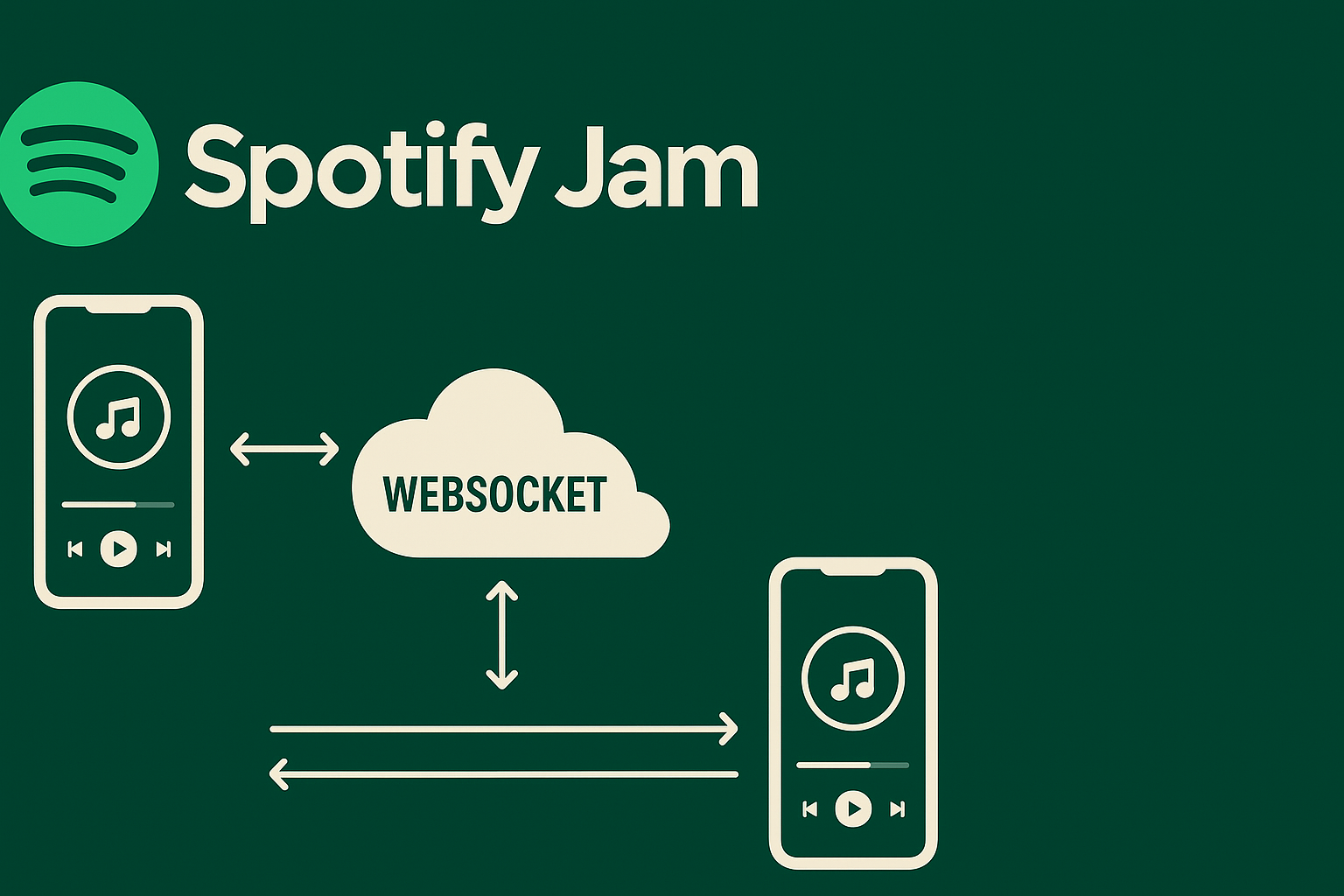
If you're not familiar with Spotify Jam, imagine this scenario: You and your friends are on a long car ride. One of your friends connects their phone to the car’s audio system and starts playing music. Naturally, everyone has their own taste, and you might want to add your favorite songs to the playlist too. But asking your friend constantly or handing over the phone isn’t ideal. What if, instead, your friend could just share a QR code or a link, and with one scan or click, you could join the session, add songs, and control playback, all in real-time? That’s exactly the kind of experience Spotify Jam aims to create. And while the actual implementation by Spotify is likely more complex and secure, a core technology that enables this kind of real-time collaboration is likely WebSockets.
How the Architecture Might Look
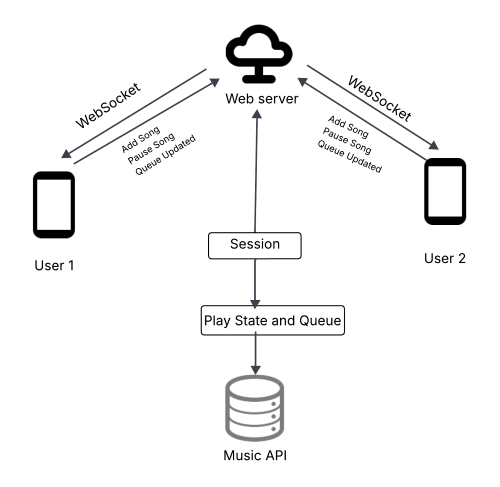
Fig: Simple Architecture Design of Spotify Jam
-
User 1 and User 2 are connected to a Web Server via WebSocket connections. These connections support bi-directional communication. Through WebSocket, users can send events like: Adding Song, Pausing Song etc. The Web Server manages a Session, which keeps track of the current Play State and Queue.
-
The Play State and Queue component interacts with the Music API (such as Spotify's API) to fetch song metadata and playback details.
-
Any change by one user (e.g., adding a song or pausing) is processed by the Web Server and propagated to all other connected users in real-time.
The Role of WebSocket in This Architecture
WebSocket is a communication protocol that provides full-duplex (two-way) communication over a single, long-lived connection. Unlike traditional HTTP, where the client must initiate all requests, WebSocket allows the server to push updates to all connected clients instantly. Here’s what it might look like:
-
When you join a Jam session, your device establishes a persistent WebSocket connection to the Web Server.
-
The Web Server tracks your session and broadcasts real-time updates to all connected clients.
-
Actions like "play", "pause", or "add to queue" are immediately shared with everyone in the session.
Example: Simple Socket.io Implementation
Below is a simplified code snippet that demonstrates how this kind of real-time interaction might be implemented using Socket.IO (a WebSocket abstraction for Node.js):
const express = require('express');
const http = require('http');
const { Server } = require('socket.io');

const app = express();
const server = http.createServer(app);
const player = new Server(server, {
  cors: { origin: '*', methods: ['GET', 'POST'] },
});

let queue = [];
let isplaying = false;

player.on('connection', (socket) => {
  console.log('A user connected', socket.id);
  socket.emit('init', { queue, isplaying });

  socket.on('addtoqueue', (song) => {
    queue.push(song);
    console.log('Queue updated:', queue);
    player.emit('queueupdated', queue);
  });

  socket.on('play', () => {
    if (!isplaying && queue.length > 0) {
      isplaying = true;
      console.log('Playing song:', queue[0]);
      player.emit('play', queue[0]);
    }
  });

  socket.on('stop', () => {
    if (isplaying) {
      isplaying = false;
      console.log('Stopped playing');
      player.emit('stop');
    }
  });

  socket.on('disconnect', () => {
    console.log('A user disconnected', socket.id);
  });
});

server.listen(3000, () => {
  console.log('Server running on http://localhost:3000');
});
Once the server is running, open multiple browser tabs with your frontend (e.g., served at http://127.0.0.1:5500/). Any interaction—like adding a song or pressing play—will synchronize across all tabs in real time using WebSocket events.
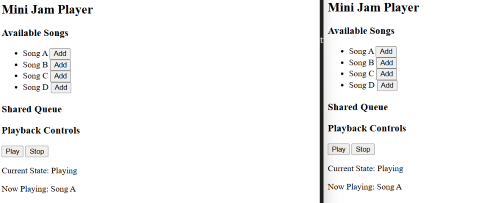
Fig: Mini Jam syncs playback—start one- another starts too.
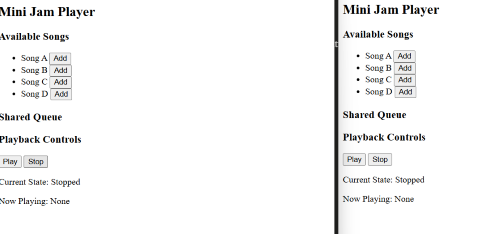
Fig: Mini Jam syncs playback—stop one, all stop.
While this is a simplified prototype, the real Spotify Jam likely builds on the same core concept—real-time communication via WebSockets—while adding more advanced features like authentication, token-based session management, precise playback syncing using timestamps, role-based controls, and offline fallback mechanisms to ensure a seamless shared listening experience.
No comments yet
Sign in to leave a comment.